
Field guides / Standard 4 X
Standard 4 X — install
Mount guides, specification and on-site checks for the Standard 4 X terminal.
The Starlink app is for obstruction checks and alignment only
Pulsar-managed terminals are reseller-provisioned, so you cannot sign in to Starlink from the app — service, plan changes and monitoring go through Pulsar.
Which mount are you fitting?
Only the mounts Pulsar sells are listed. Each opens the official Starlink guide.
Pipe Adapter$45Open install guide (PDF) →
Pivot Mount$87Open install guide (PDF) →
Wall Mount$79Open install guide (PDF) →
X-Frame Base$88Open install guide (PDF) →
Roof Rack$12Open install guide (PDF) →
Actuated Adapter$51Open install guide (PDF) →
Ridgeline Mount$294No dedicated PDF — open all guides →
Obstruction check & alignment
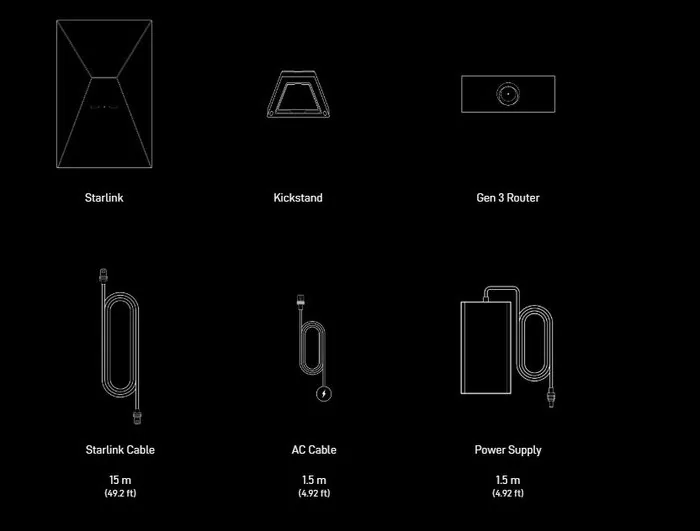
In the box
- Standard 4 Terminal
- Kickstand Base
- Standard Cable 15 m (49 ft)
- AC Power Cable 1.5 m (5 ft)
- Power Supply + Cable 1.5 m (5 ft)
- Gen 3 Wi-Fi Router
Site specification
| Specification | Value |
|---|---|
| Dimensions | 23.4 × 15.1 × 1.6 in |
| Weight | 7.05 lb |
| Peak download | 475 Mbps |
| Peak upload | 70 Mbps |
| Latency | 30–90 ms |
| Field of view | 110° (2 satellites) |
| Power draw | 75–100 W |
| Wind rating | 60+ mph |
| Snow melt | 1.5 in/hr |
Cables & extras
| Specification | Value |
|---|---|
| 15 m cable | $59 |
| 45 m (147 ft) cable | $135 |
| Ethernet Adapter | $20 |
| Router Mini | $71 |
| Gen 3 Wi-Fi Router | $118 |
| DC-DC Power Supply | $129 |
Before you leave the depot
- Open and read the mount guide for this job — you may have no signal on site
- Confirm cable length reaches from the mount point to the router location
- Starlink app installed and phone charged (obstruction check needs the camera)
- Mount hardware, sealant and fixings suited to the roof or wall material
- Ladder, fall protection and PPE appropriate to the site
- Pulsar support number saved offline: 512.906.6503