
Field guides / Starlink Mini
Starlink Mini — install
Kit setup, mount guides and the on-site checks for the Mini terminal.
The Starlink app is for obstruction checks and alignment only
Pulsar-managed terminals are reseller-provisioned, so you cannot sign in to Starlink from the app — service, plan changes and monitoring go through Pulsar.
Which mount are you fitting?
Only the mounts Pulsar sells are listed. Each opens the official Starlink guide.
Flat MountIncluded in kitOpen install guide (PDF) →
Mini Pipe Adapter$33Open install guide (PDF) →
Mini Mobility Mount$26Open install guide (PDF) →
Mini Roof Rack$32Open install guide (PDF) →
Mini Wall Mount$12Open install guide (PDF) →
Obstruction check & alignment
Run the sky scan before you fix the mount permanently.
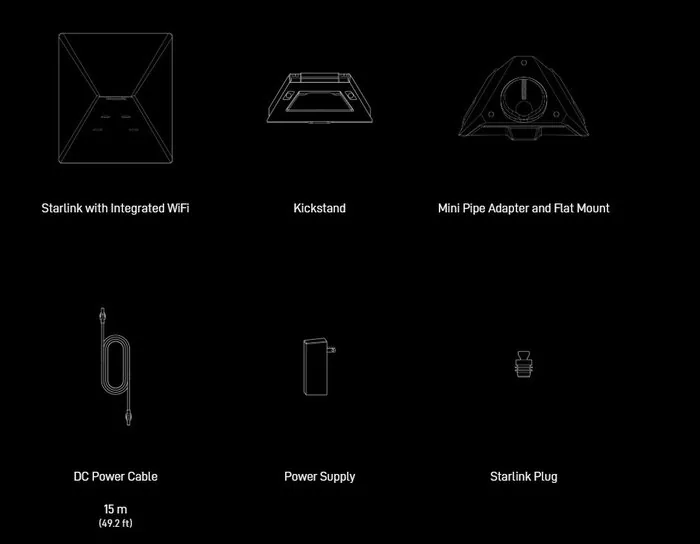
In the box
- Starlink with Integrated Wi-Fi
- Kickstand
- Mini Pipe Adapter and Flat Mount
- DC Power Cable 15 m (49.2 ft)
- Power Supply
- Starlink Plug
Site specification
| Specification | Value |
|---|---|
| Dimensions | 11.8 × 10.2 × 1.5 in |
| Weight | 3.37 lb |
| Field of view | 110° (2 satellites) |
| Power draw | 25–40 W |
| Wind rating | 60+ mph |
| Snow melt | 1 in/hr |
| Wi-Fi | Integrated in antenna |
Cables & extras
| Specification | Value |
|---|---|
| Mini 5 m USB-C cable | $36 |
| Mini 15 m Ethernet | $41 |
| Gen 3 Wi-Fi Router | $118 |
| Mini Travel Kit | $53 |
| Mini Car Adapter | $53 |
Before you leave the depot
- Open and read the mount guide for this job — you may have no signal on site
- Confirm cable length reaches from the mount point to the router location
- Starlink app installed and phone charged (obstruction check needs the camera)
- Mount hardware, sealant and fixings suited to the roof or wall material
- Ladder, fall protection and PPE appropriate to the site
- Pulsar support number saved offline: 512.906.6503